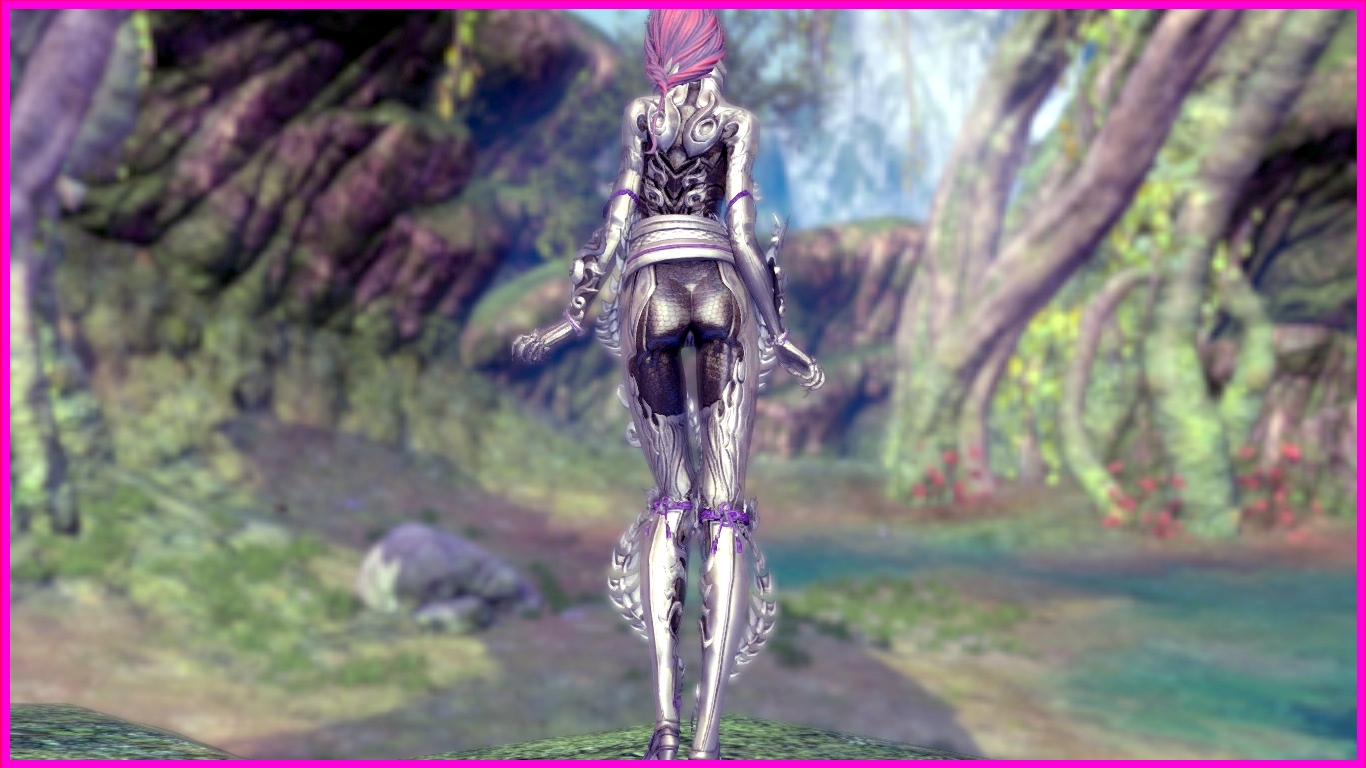
Showing posts with label yun. Show all posts

Thursday, October 31, 2019

Moving To Patreon Platform (with Status Quo Preserved)

Before I begin talking about my decision to move to Patreon, I would like to let everyone know that I will preserve the way of how I do things here; as in there will still be a publicly viewable post with a free mod (my favorite 😃).

As for the reason of the move, patrons who have been with me since my first post will know, my journey with skin mod started back when I was playing another NCSoft game - AION. And what triggered me to learn skin mod is because of my frustration with a costume that I deemed wrongfully colored. Even though the Game Manager acknowledged the error after I submitted a ticket, nothing was done. My 'volcano' finally erupted after months of waiting with no action from the GM and so, I took things into my own hands - learn to mod. And that bring us this Blog today.

Over the years, I had made and shared close to a hundred mods, fulfilling some requests by you guys along the way. However, I mostly created only one version of the mod for each outfit; and like how I find the outfit that started me on my journey imperfect, my mod may not be perfect to each and everyone of you (beauty in the eye of the beholder, as the saying goes 😃). As such, I started to think about how wonderful it would be if everyone can have a mod that is close to their perceived perfection.

For example, the patron who requested for the Yun Colorful Silk mod actually only wanted the two huge pieces of translucent cloth (I call them wings 😅) removed. But for other players, they might like to keep the wings but hate the pin and rose on the chest. Some might prefer naked legs, while some prefer leaving the pair of leggings on.

From there, I started to think about making different versions of the mod. But thinking further, I feel that this is still incomplete. Firstly, with the different features that I kept separated on the raw file (i.e. short or long wings or none, pin or no pin, rose or no rose, naked leg or translucent legging or original legging, to list some of them), I cannot possible compile a file for every combination of them. I will probably blow the storage limit with one file for each possible version, because that may end up with like close to fifty files for each single mod 😰. Thus, I can optimally provide four or five versions for each mod. But that will also take additional time and effort.

However, that brings us to the second problem which is that I simply can't satisfy everyone's desire for the perfect outfit with just four or five versions. So I will also create a higher tier for my Patreon account where patrons can request for a version with the features that they may desire (as in what I have already made available in the raw file). I will also announce the next mod inline so that patrons on this and higher tier can chip in their ideas as to what they desire (except nude request 😇) in the mod. Of course, it would still has to be constrained within texture mods and its feasibility.

And if that is still not enough for some patrons, I have plan for a highest tier to give out the raw files (which are in pdn format - for use with the freely available Paint.net). In the raw pdn file, you can freely hide/unhide features (layers), or add in your own features and recompile them to make your very own perfect outfit. From the raw files, you can also gain an insight into how I made the mod. I will also be adding the raw files for older mods in this tier too.

You can take a look at an example of the raw file below, showing how hiding/unhiding a layer can add or remove features from the mod. Of course, you would still need to have UPKManager to compile the texture files after that (that is, unless the creator of UPKManager is willing to tweak the application so that it can automatically read the pdn files and allow users to simply click a button in the application to turn on/off features and compile it 😅).

Example of Raw File
Well, I am still thinking through and working on all the stuff mentioned above. But if the move to Patreon works well, I can fully re-invest my time and energy into mod-ding again.

Last but not least, you are welcome to give suggestions in the mean time.

But for now, you can visit my first public post on Patreon featuring the Yun Colorful Silk outfit mod.

Wednesday, July 31, 2019

Blade & Soul - Scarlet Empire (Jin/Yun Outfit) Mod

As some of you may know, my laptop charger blew up on me just last week. Sadly for me, my laptop is a six years old model and the OEM does not manufacture or keep stock for the charger anymore. It took me some time to source for a replacement from a second hand dealer. That is why this post is late.

Hopefully, my laptop does not blow up on me next, else I will probably have to stop this blog and mod-ding until I can afford to get a new one. 😟

Well... That is enough of venting so let us get back into the mod.

Earlier in July, I made and posted the Gon Scarlet Empire after a patron requested for it. I modified the front and tail cloth by trimming and giving them a laced pattern, plus modified the under boob areas to skin color since they follows the correct curvature. But it seems the patron actually only wanted the front and tail cloth removed. 😅

Fortunately my work is not wasted as another patron had asked for that first version for the Jin and Yun race.

Replacing the front and tail cloth can be easily achieved by copying and pasting from the Gon mod. The retexturing of the under boob areas took a little more time because the rugged surface starts and ends at different area for all three races. But since I already know the layout of that area, through the Gon mod, it can be easily adjusted for each race. As such, in this week's mod, we will get to see both the Jin and Yun Scarlet Empire.

Since the outfit is exactly the same for all three races and all the details have already been mentioned in the Gon Scarlet Empire post, we will dive straight into the outfit.

First, let's view the original Jin and Yun Scarlet Empire below, with the Yun version on the left side and Jin on the right side.

Front View - Original Outfit
If we compare the Jin and Yun above to the Gon version earlier, we can see that it has the same appearance for all three races.

Front Close-up View - Original Outfit
Oh! I just realized that I can sort the in-game Tailorshop to show all outfits that cannot be customized, so I used the Scarlet Empire's hair here. The default setting is to show only customizable outfits so I am always missing stuff on the list. 😅

Rear View - Original Outfit
Notice how the Yun version notoriously shows the front and tail cloth cutting into the legs but not so much on the Jin.

Rear Close-up View - Original Outfit

Side View - Original Outfit
The rugged areas on the clothes just below the breast level are slightly shifted for the three races, so the area to be recolored has to be adjusted accordingly. Of course, that also includes the difference in skin tone.

Side Close-up View - Original Outfit
My aim for the Jin and Yun mods is to make replicates of the Gon mod. However, I noticed that the mesh structure of the breasts actually exist, under the cloth, for the Yun outfit. So I initially tried to modified the cloth into a lace layer that reveals the under boobs beneath it. Unfortunately, the entire region directly below the breasts is missing, and that missing region extends all the way to the back. 😧 In the end, I still has to make it similar to the Gon mod.

Let us take a look at the Jin and Yun modified Scarlet Empire, side by side, in the images below.

Front View - Modified Outfit
Although I indicated that the stockings has been recolored to skin, it is actually reflecting a red-orange shine.

Front Close-up View - Modified Outfit
The front cloth has been trimmed and given a lace texture.

Rear View - Modified Outfit
The same goes for the tail cloth but there are larger holes on it.

Rear Close-up View - Modified Outfit

Side View - Modified Outfit
Comparing the top and bottom images, we can see how the cloth has been adjusted at the side of the breasts. This is due to the rugged surfaces that I had mentioned earlier.

Side Close-up View - Modified Outfit
This brings us to the end of this post. Catch the video below to get a better view of the mods. The video is made using the in-game Tailorshop since I am not in a powerful clans, that have lready beaten the new raid dungeon, like the requestors of these mods. And thus, do not have these outfits. 😞


Download Link for Jin
Download Link for Yun

Wednesday, July 24, 2019

Blade & Soul - Dragon Knight (Yun Outfit) Mod

Soon after I made the Gon Dragon Knight mod, a patron requested for the Yun version; and a little later, another requested for the Jin version. Since the Yun request preceded the Jin one, I decided to do for the Yun first.

With the ending of the recent trove event, the chance to obtain this outfit has also gone 'poof' in the wind... at least for then next few months, until NCWest decides to put it up for sale again in whatever form, such as event outfit or outfit in a chest. 😢

Just as an information for non-players, outfits in Blade & Soul are normally character-bound except for some special ones, for example the Dragon Knight. Such outfits are account-bound and can be sent via mail, using outfit transfer stamp, to other characters in the same account.

Although I got the Dragon Knight on my Jin, I am reluctant to send the outfit with the free outfit transfer stamps, which came with the free premium compensation. If you do not already know it, premium players get twenty outfit transfer stamps for free each month. So with the free premium, I quickly grabbed the stamps and let them stay in the Received Items until I need them in the future.

The free premium came as a compensation for a bug which caused weeklies raid to reset too early, causing some players to loose out on their weekly rewards. By the time of this post, there had been four such compensations (in the form of free weekly chests on the online Hongmoon store). Each of these chest give two days of free premium, so by now, there is a total of eight days.

But the eight days can be 'extended' to sixteen days by logging into the EU server and purchasing the same chests on there. Although the chests remain in the Received Items in the EU server, the premium is shared with the NA server. Therefore, eight days each on NA and EU servers together give a total of sixteen days. I am not sure whether this is intentional or some bug but since it can be done, why not make use of it. 😅 Someone even made a YouTube video on this.

Well, so much for some in-game information. Let's turn our attention back to the outfit and take a look at the original Yun Dragon Knight in the images below.

Front View - Original Outfit
Dragon Knight share the same appearance across all three races.

Front Close-up View - Original Outfit
The same outer armor over the tight inner layer, the thick belt and the spine-like structures that wrap around the legs and run from the waist to ankle.

Rear View - Original Outfit

Rear Close-up View - Original Outfit

Side View - Original Outfit

Side Close-up View - Original Outfit
Since the requester did not specify any detail, I figured that I should do the same mod as the Gon Dragon Knight.

Similar to the Gon mod, I recolored the dark inner layer on the legs, side torso and back into skin tone. Likewise, I made a G-string for the Yun. 😅

Unlike the Gon model, the lower back of the Yun looks much smoother and can be recolored to skin tone too. However, the Yun's butt area has more angular surfaces that disrupt the smoothness. 😰

Let us view the finalized Yun Dragon Knight mod below.

Front View - Modified Outfit

Front Close-up View - Modified Outfit
As seen above, the thighs and knees region have been recolored to skin.

Rear View - Modified Outfit
The same goes for the back and butt region. But notice that unlike the Gon mod, The mid portion of the Yun's lower back can also be recolored to skin.

Rear Close-up View - Modified Outfit
The butt with G-string looks all smooth and great from the direct view, but when viewed from the sides, sharp edges can be seen (warning it cannot be unseen 😧 ).

Side View - Modified Outfit
The sides of the torso have also been recolored to skin as seen in the images above and below.

Side Close-up View - Modified Outfit
Comparing to the Gon mod, the only difference is in the lower back as mentioned above. But prior to the finalized version, I had actually trimmed the armor on the outer thighs, from waist level down to thigh level. Unfortunately, that version reveals even more angular surfaces so I settled for this version. 😥

With this, we have reached the end of this post. Catch the video, which is made in the Monkeystone forest in the Moonwater Plains map, for a better look at the mod.

Just for some fun facts about the Sacred Beast Ogong. I belief Ogong is derived from the Monkey King or Monkey God - Sun Wukong, from the Chinese mythological tale "Journey to The West". The west here refer to the realm where the Buddha resides and not the western part of our world. The party which sets out from China travelled west, through the Silk Road, to seek audience with the Buddha and fetch Buddhist scriptures back to the then Tang Dynasty.

For those who are familiar with Dragon Balls animation and manga series, you will probably know that the young Goku is also a derivation from the Monkey King - Sun Wukong (Goku's name in Chinese comics is actually the same as the Monkey King).

These derivations of Ogong and Goku from Sun Wukong is evident from the fact that they are kind of monkey related (tail in Goku's case and his transformation into a giant monkey at the sight of the moon) and that they all use an extendable magical pole for weapon. They even has the same ability to ride cloud as in Sun Wukong. It is even much more obvious in Ogong's case where he actually wears the same circlet and similar clothing; and had traveled to and messed up the Divine realm - stealing and eating divine peaches.

Sun Wukong is known to be a monkey born from a piece of monkey shaped stone after being extensively exposed to divine energy of Heaven and Earth. So he is also lesser known as the Stone monkey and that is where the forest's name - Monkeystone came from. 😅

And that is not all. If you have ACTUALLY played Blade & Soul right through, including all the mini quests, you will come across a series of mini quests (in Silverfrost Mountains) where you help a monk form a party to battle evil. You helped him recruited Wulong (any Dragon Balls fan recall this name and who owns it? 😆 ) - a pig type NPC and Sally - a fish type NPC. These two NPCs are also derivation from the other two disciples of the monk in "Journey to The West" - Wujin (a.k.a. Zhu Bajie, 猪八戒) and Wuneng (a.k.a. Shaseng, 沙僧). Needless to say, Wujin is a pig type being while Wuneng is a water type being. In the quest series, the last one that you helped the monk recruit is, of course, Ogong. Although in the "Journey to The West" story, Wukong is the first to become the monk's disciple.

Looks like I have drifted off too much, so I will stop here in case I start talking about Dorothy and her friends from Oz. 😅

Wednesday, July 17, 2019

Blade & Soul - Aurora (Yun Outfit) Mod

This week, we have an outfit out of the Sandstorm Temple dungeon in Solak. Needless to say, it is dropped by the final boss - Rukesh, in the hard mode dungeon. The first time I saw this boss, I was thinking "What the heck is that?", and some players might agree with me. 😆

To verbally describe Rukesh's appearance, think of a legless man with a huge genie attached to his back via some cables/lines. Yes, I mean practically a being that looks similar to a genie from Aladdin's lamp. 😅

Seeing a genie appear in Solak is not all surprising since the outfits worn by people of Solak are designed similar to ancient Arabic wear. But to see the genie attached to a legless man is another thing all together. Makes you wonder who is the master of which. 😨

Rukesh was originally a monk from the Ajanara Monastery, but he delved too deep into dark knowledge, which eventually led to his turning into a demon due to an artefact.

Looking back at the outfit, I cannot really tell its name's relation to an actual aurora, which is a natural light display in the upper hemisphere of the Earth's north and south pole, caused by the disturbance in Earth's magnetosphere by solar winds.

If anyone has any good theory as to the outfit's name, please help enlighten us. 😅

The overall design of the outfit is a white piece of mantle worn over an orange colored dress, supplemented by metallic shoulder and leg armor pieces. Let's take a look at the original outfit below.

Front View - Original Outfit 
The base dress has an orange color shine, while the armor pieces are dark colored. The two combination gives a strange overall look.

Front Close-up View - Original Outfit 

Rear View - Original Outfit 
The mantle can be seen covering the entire back and two pieces of cloth, of the same length, runs down from neck.

Rear Close-up View - Original Outfit 

Side View - Original Outfit 
We can see feathers sticking out from between the shoulder guard and bracer.

Side Close-up View - Original Outfit 
The patron who requested for this outfit mod asked for the mantle to be removed. Unfortunately, the mesh for the back of the torso, which is hidden beneath the mantle, does not exist. A total removal of the mantle would leave a missing back. As such, my only option is to trim it.

The mantle can be physically trimmed to the waist level but that will leave a gap between itself and the dress, where the missing back (hole) can be seen. Thus, I only trimmed the mantle up to the skirt level. 😥

Trimming the mantle would complete the request but I also looked at the chest portion. It seems the mesh of the breasts exist under the dress so I can trim, or rather widen, the dove neck to reveal a little more of the breasts. Unfortunately, the mesh of the torso portion immediately below the breasts does not exist, so the trim style is limited only to the top part of the chest region. 😥

After that, I also trimmed the length of the dress by a little and cut two slits into its sides.

Check out the modified outfit in the images below.

Front View - Modified Outfit
The dress can be seen trimmed down to the white lining level.

Front Close-up View - Modified Outfit
The angle of the 'V' shape on the dove neck has been widened as seen above.

Rear View - Modified Outfit

Rear Close-up View - Modified Outfit
The length of the mantle has been trimmed to be approximately the same as the dress.

Side View - Modified Outfit
The slit on the right side can be seen in the image above and below. I added the inverted 'V' white linings to complete the slits, as it will not look nice with the dress ending with white linings on the front and back but not on the sides.

Side Close-up View - Modified Outfit
This brings us to the end of this post. You can watch the video for a better look at the modified outfit.

I had captured the video in the northern part of the Silverfrost Mountains map because the scenery looks similar to the Earth's north and south pole, where beautiful auroras can be seen.

By the way, the thumbnail of the video has been doctored to include an aurora in the skyline. I have not seen any aurora in Blade & Soul yet. 😅


Download Link

Wednesday, June 19, 2019

Blade & Soul - Dreamcatcher (Jin/Yun Outfit) Mod

In this week's post, we will be looking at two mods, namely the Jin and Yun Dreamcatcher. I had done the Gon version two months back and just last week, a patron requested for the other two races. The patron also promised a donation so I took the bait. 😆

The information about the outfit has already been provided in the Gon post so I will not go into those again. But just for information, this outfit's appearance is the same for all three races. The position of the costume portion in the textures are exactly aligned and that is why I can make two mods in a go, by copy and paste. However, the skin portion are distinct for each race, so I will still need to separately remove the shadows on the Jin skin texture. Fortunately, the Yun skin texture does not have shadows. 😅

Another difference that I found on the Yun texture is that the mesh structure for the breasts are intact, unlike for the Gon and Jin. This means that the Yun version can probably go topless. 😲 But how that will turn out still have to depends on the shape of the mesh (i.e. some are compressed to a side or right out flattened so as to be able to remain under the costume, no matter how bombastic or weird the shape player tries to customize them. 😅 )

I wanted to do something to the area which surrounds the Yun's upper torso portion, but the same card structure which I mentioned in the Gon's post prevented my idea. In simple terms, the whole stretch that made up the part of the costume that wraps around the upper torso, is actually made up of only two vertical cards. So my two options are to either totally remove them or keep them intact. I chose the latter. 😥

Let us view the two original outfits in the images below, with Jin on the left and Yun on the right.

Front View - Original Outfit
Same design verified. Same cloth cutting leg verified too! 😆

Front Close-up View - Original Outfit
The turquoise region wrapping around the upper torso is made up of just two vertical cards.

Rear View - Original Outfit
Pieces of  white cloth extends from below the dress.

Rear Close-up View - Original Outfit
The red cloak looks similar but while the Jin one is flatly opened, the Yun one is crumbled towards the center.

Side View - Original Outfit

Side Close-up View - Original Outfit
Since the patron did not specify any other thing, I decided to mod the Jin and Yun outfit similar to the Gon mod.

As a recap, the dress and red cloak were trimmed and the embroidered lotus patterns were shifted accordingly. The pieces of cloth below the dress, the trinket at the back and the portion below the front butterfly knot also had to be removed to match the mod.

In addition, the shadows on the skin texture of the Jin need to be erased as well.

Front View - Modified Outfit 

Front Close-up View - Modified Outfit 
The images above show the outfits after the dress has been trimmed.

Rear View - Modified Outfit 
The trinket attached to the bottom right of the dress had to be removed since that portion of the dress, that it was attached to, has been removed.

Rear Close-up View - Modified Outfit 
What is left of the red cloak can be seen on the neck. I had tried several variations for the cloak when I was making the Gon mod, but none seems good enough so I trimmed it down to leave only the neck portion. 😓

Side View - Modified Outfit 

Side Close-up View - Modified Outfit 
Similar to the Gon texture, the skin portion for the Jin and Yun only took up around 6 percent of the total texture. So we can expect the skin to have less details and looks stretched in some area. 😥

This brings us to the closure of the Dreamcatcher mods for the three races. You can watch the video to get a better idea of the mod outfit. Sadly, I do not own this outfit on any of my characters so I can only capture the outfit in the in-game Tailorshop. 😥


Wednesday, June 12, 2019

Blade & Soul - Rising Flame (Jin/Yun Outfit) Mod

Normally, I would not put up two similar mods consecutively, but since the request was put up almost immediately after the last post, and by one of the supportive patrons, I decided to go ahead with these two mods.

Since all the information about the outfit and where it can be found has been detailed in the Gon Rising Flame post, we can skip straight to the outfit mod. Just to mention, the outfit is exactly the same for the three races, except for the differences due to respective inherent body shape.

The meshes/textures for the costume part of the outfit are laid out almost exactly the same for the three races, so I can simply copy everything over from the Gon mod. However, that would also mean that the same issue of missing mesh for the top half of the torso remains true for both Jin and Yun. So those hoping for more under boob will be disappointed. 😅

I mentioned the meshes/textures are almost the same because the Yun's red top seems to be shifted a little. For that, I tried to see if I can reveal a little more of the Yun torso but the answer is no. 😓

Well, let us look at the original Jin and Yun Rising Flame outfits in the images below, with the Jin on the left and Yun on the right.

Front View - Original Outfit
As we can see above, the two outfits are exactly the same.

Front Close-up View - Original Outfit
The difference in size, most notably the width of the dress, is probably due to the body shape.

Rear View - Original Outfit

Rear Close-up View - Original Outfit

Side View - Original Outfit

Side Close-up View - Original Outfit
As seen in the images above, the two original outfits are much similar except for some changes in size, which is due to body shape.

I applied the same mod that I have done on the Gon outfit, to both the Jin and Yun mod. Check below to see the finished mod. 

Front View - Modified Outfit

Front Close-up View - Modified Outfit
It seems the Gon mod shows more under boobs than the Yun and Jin, although they are all given the same length for the red top. Blame the body shape? 😅

Rear View - Modified Outfit
The dress at the hip seems to be wider for the Yun, as compared to the Jin mod. That might be due to my Yun character having a bigger hip size. 😆

Rear Close-up View - Modified Outfit
See? Not just my imagination.

Side View - Modified Outfit

Side Close-up View - Modified Outfit
I have also recolored the under boob portion of the bra to skin color. This must be repeated for each race because each race has their own inherent skin tone. But it does not seems to be very obvious from the images above.

With this, the Rising Flame mod for the three races are completed. I did not pray to the RNG goddess much, so by now, I still do not have this outfit for any of my characters. As such, the video is captured again using the in-game Tailorshop. 😥

I guess my video editor is working okay for now but it still produces a glitch in the middle of the video. The preview before compilation is fine but some how it appears in the final product. 😦

Anyway, the color in the video may seem a little off because I have captured this video in Midnight Skypetal Plains (MSP), where the scenes are normally bluish due to the night sky. I have applied a filter to reduce the blue color so it appears more greenish-yellow. 😅